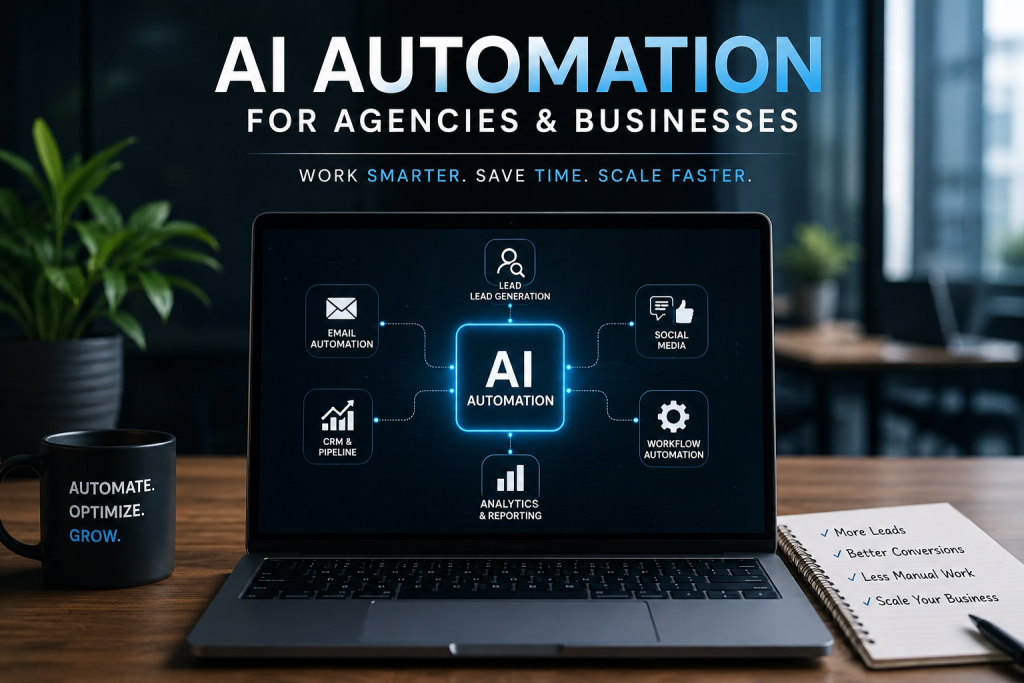
AI automation is the use of AI-powered software to run repetitive business tasks — lead generation, onboarding, reporting, support — with little or no human effort. For agencies and business owners, it means the work still gets done, just without a person doing it by hand every time. This guide covers what you can automate, the tools that matter, and how to start without wasting months on tools you’ll abandon.
What is AI automation?
AI automation combines two things: automation (software that triggers an action when a condition is met) and AI (models that can read, write, decide, and summarize like a person). On its own, traditional automation moves data from A to B. Add AI, and the system can also read a messy email, write a reply, score a lead, or tag a support ticket — the judgment steps that used to require a human.
The simplest way to picture it: a normal automation forwards a form submission to your CRM. An AI automation reads the submission, decides how qualified the lead is, drafts a personalized first reply, and only pings you if it’s worth your time.
What can you actually automate in a business?
Most of what eats your team’s day is repetitive, rule-based, and automatable. The highest-value categories:
Lead generation and outreach. Finding prospects, enriching their data, personalizing the first message, and sending follow-ups — end to end, on autopilot. For a full walkthrough of this one, see AI-Powered Lead Generation for Agencies: A Practical Playbook.
Client and customer onboarding. Intake forms, welcome sequences, account setup, document collection, and kickoff scheduling without manual chasing.
Content production. Turning one long-form asset into social posts, email copy, and summaries — drafted by AI, reviewed by you.
Reporting and analytics. Pulling numbers from different tools into one clean report and writing the plain-English summary that usually takes an hour.
Customer support. Tagging and routing tickets, drafting first replies, and answering common questions from your own knowledge base.
Internal operations. Data entry, file organization, invoice handling, and status updates that quietly cost hours every week.
If a task is repetitive and follows a pattern, it’s a candidate. If it needs genuine human relationship or high-stakes judgment, keep a person in the loop and let AI do the prep.
How does AI automation actually work?
Every AI automation follows the same three-part shape: trigger → action → output.
- Trigger — the event that starts it: a new form submission, a new row in a sheet, an incoming email, a scheduled time.
- Action — what happens next: enrich the data, run it through an AI model, update a record, send a message.
- Output — the result: a booked call, a sent email, an updated CRM, a finished report.
The “build once, reuse forever” principle is the whole point. You spend a few hours mapping and building a workflow, then it runs thousands of times at near-zero marginal cost. That’s why automation compounds: the tenth workflow you build is worth far more than the first, because they start feeding each other.
What tools do you need for AI automation?
You don’t need every tool — you need one from each layer, chosen for the job in front of you. Grouped by what they do:
Orchestrators (the glue). Make.com and n8n connect your apps and run the logic. Make is fast to learn and visual; n8n is more flexible and self-hostable. Zapier is the simplest entry point if you’re brand new.
Data and enrichment. Apollo and Clay find prospects and fill in the missing details — emails, company size, tech stack — so your outreach isn’t generic.
Outreach and sending. Smartlead and HeyReach handle cold email and LinkedIn at volume while protecting your sender reputation.
CRM and follow-up. A system like GoHighLevel (GHL) captures leads, runs pipelines, and triggers follow-up sequences.
The AI layer. Models from OpenAI and Anthropic (Claude) sit inside your workflows to read, write, classify, and summarize.
The mistake most people make is buying tools before they’ve defined the task. Pick the task first. The tool is the last decision, not the first.
Why AI automation matters most for agencies
Agencies win from automation twice: internally, on how they run, and externally, as a service they can sell. The highest-ROI plays for an agency:
A lead generation engine. Prospecting, enrichment, personalization, and multi-channel follow-up running continuously — so your pipeline doesn’t depend on how much outreach you remembered to do this week.
Client onboarding. A new client triggers a full sequence: contract, intake, asset collection, and kickoff — no partner spending their first three days chasing logins.
White-label delivery. Standardize how work gets produced so you can scale output without scaling headcount at the same rate.
Reporting. Client reports that build and send themselves, with an AI-written summary, turn a monthly time sink into a scheduled task.
For a lean agency, this is the difference between growth that requires more hires and growth that doesn’t.
How to start with AI automation (5-step framework)
Don’t start with tools. Start with the task that annoys you most. A simple path that works:
- Pick one repetitive task. The one you or your team do weekly that follows a pattern. Just one.
- Map it out. Write the exact steps a person takes today — trigger, each decision, each action, the end result.
- Choose the simplest tool that fits. Match the map to an orchestrator and the one or two apps it needs. Simple and working beats sophisticated and abandoned.
- Build and test small. Get one workflow running end to end on real data before you add anything.
- Measure, then scale. Track the time it saves. Once it’s reliable, connect it to the next workflow. Repeat.
The goal of your first automation isn’t to transform the business. It’s to prove the loop works and free up the hours that let you build the next one.
Common AI automation mistakes to avoid
- Automating a broken process. Automation makes a bad workflow fail faster. Fix the process first, then automate it.
- Buying tools before defining the task. A subscription is not a strategy. The task comes first.
- No human checkpoint where it matters. Let AI draft; keep a person approving anything high-stakes or client-facing until you trust it.
- Building for scale on day one. Get one thing working on real data before you architect an empire of workflows.
- Never measuring. If you can’t say how many hours a workflow saves, you can’t decide what to build next.
How much time and money does AI automation save?
The honest answer: it depends on the task and how much of it is repetitive. The real return isn’t only the hours saved — it’s the hours redirected. Time spent copying data between tools or chasing onboarding steps becomes time spent on strategy, clients, and growth. A single well-built lead-generation or reporting workflow can turn a recurring multi-hour weekly job into something that runs on its own. Stack a few of those, and you’ve effectively added capacity without adding payroll.
Automation is an investment: real setup time upfront, near-zero cost per run afterward. The workflows you build this quarter keep paying out every week after.
Frequently asked questions
Is AI automation only for technical people?
No. Modern tools like Make.com and Zapier are visual and no-code. The harder part isn’t the tech — it’s clearly mapping the task you want to automate. Once that’s clear, building it is straightforward, and a specialist can handle anything complex.
What’s the difference between automation and AI automation?
Traditional automation moves data and follows fixed rules. AI automation adds a model that can read, write, decide, and summarize — so it handles the judgment steps, like qualifying a lead or drafting a reply, that used to need a person.
How much does it cost to get started?
You can start on the free or low tiers of tools like Make or Zapier for simple workflows. Costs rise with volume and with premium data or sending tools. Because most tools are usage-based, spend scales with what you actually run.
What should I automate first?
The most repetitive, rule-based task your team does weekly — often lead generation, onboarding, or reporting. Start with one, prove it works, then expand.
Can AI automation replace my team?
It’s better to think of it as removing the busywork so your team does higher-value work. AI handles the repetitive prep; people handle relationships, strategy, and judgment. The best setups pair the two.
Ready to automate the work that’s slowing you down?
I’m Usama Saeed — I build AI automation systems and intelligent websites for agencies and businesses across the US, UK, and EU, with 1,400+ projects shipped. If there’s a repetitive process draining your team’s week, I can help you map it, build it, and hand it back running.
Book a free automation consultation →
Written by Usama Saeed, founder of Anzo Solutions and Technologia — AI automation and web development for modern businesses.